¶ GitHub Personal Token
This page describes how to create and use personal GitHub tokens with DevPanel.
DevPanel by default uses temporary token, but these tokens expire quite frequently so if you're going to work on a long running branch, then it's best to use personal tokens in the dev environments for those branches.
¶ Where it is in DevPanel
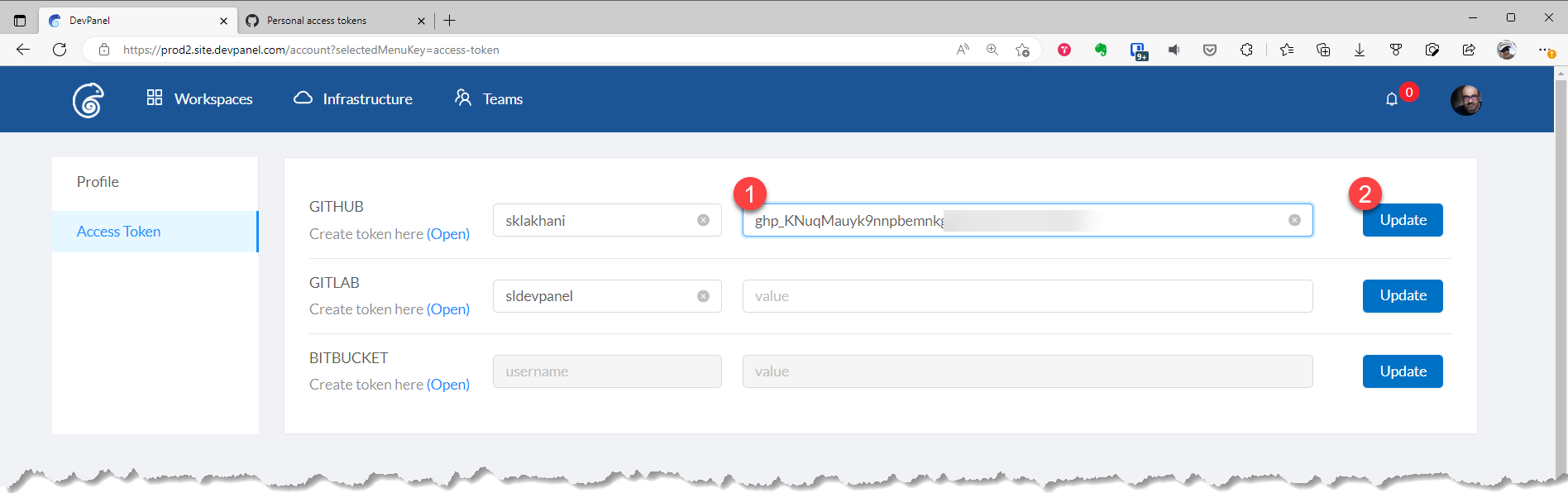
In DevPanel, you can go to Access Token page under your Profile page to add and update your personal tokens for the various git providers.
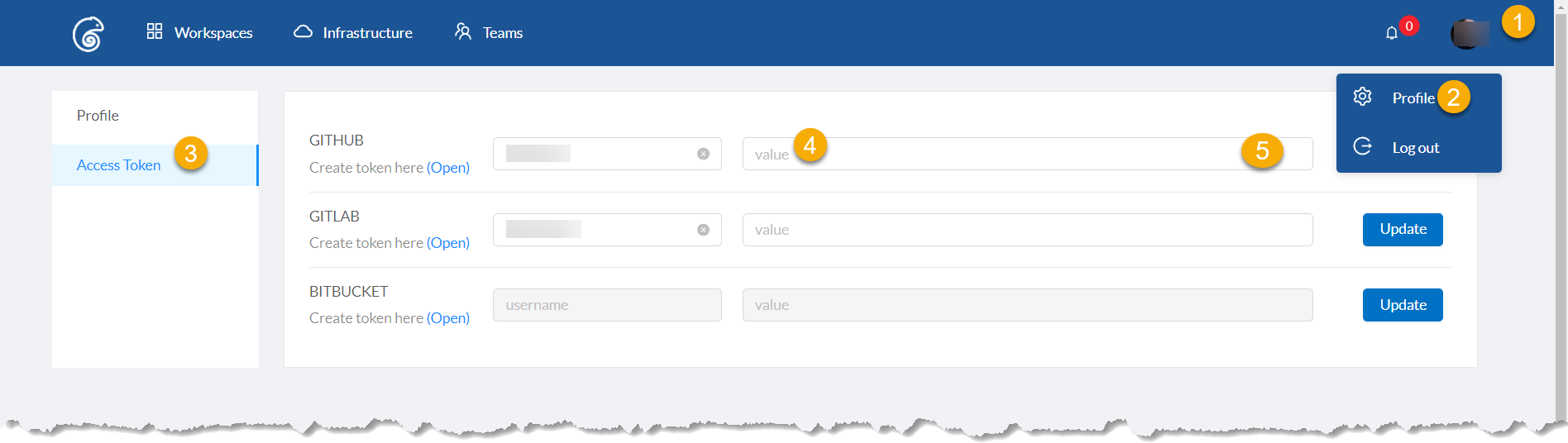
- Click on your
Profile Picture - Click on
Profile - Click
Access Token - Insert your token in this field
- Click the
Updatebutton
To get the to Personal Token page on GitHub, click on the Open link right below GitHub...
¶ Where to go in GitHub
Go to the Personal Tokens page at https://github.com/settings/tokens to create a new token.
Here are the permissions that you have to grant the personal token you create on GitHub.
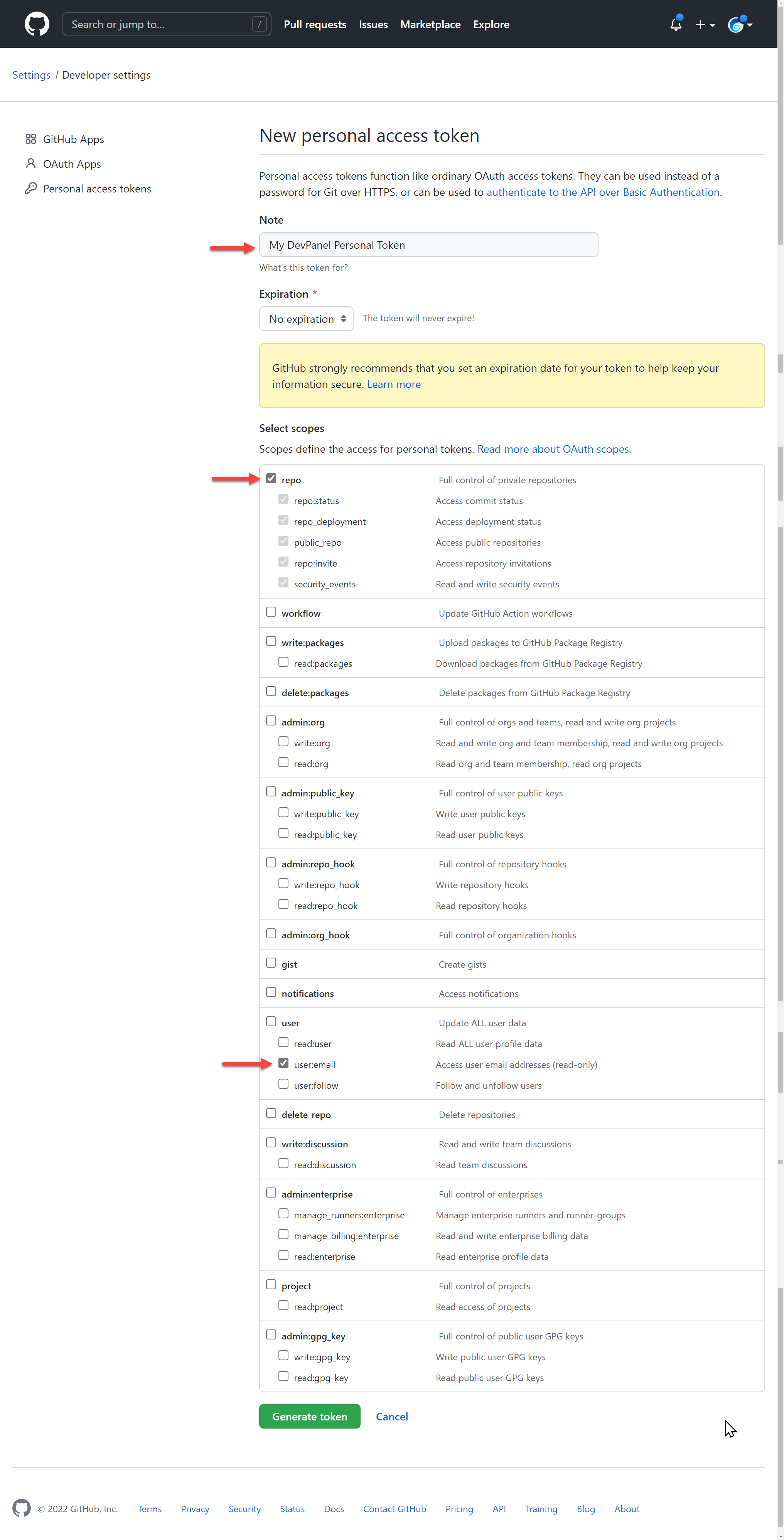
Click the green Generate token to create a new personal token.
¶ Copy Token from GitHub to DevPanel
Copy the following token from GitHub...
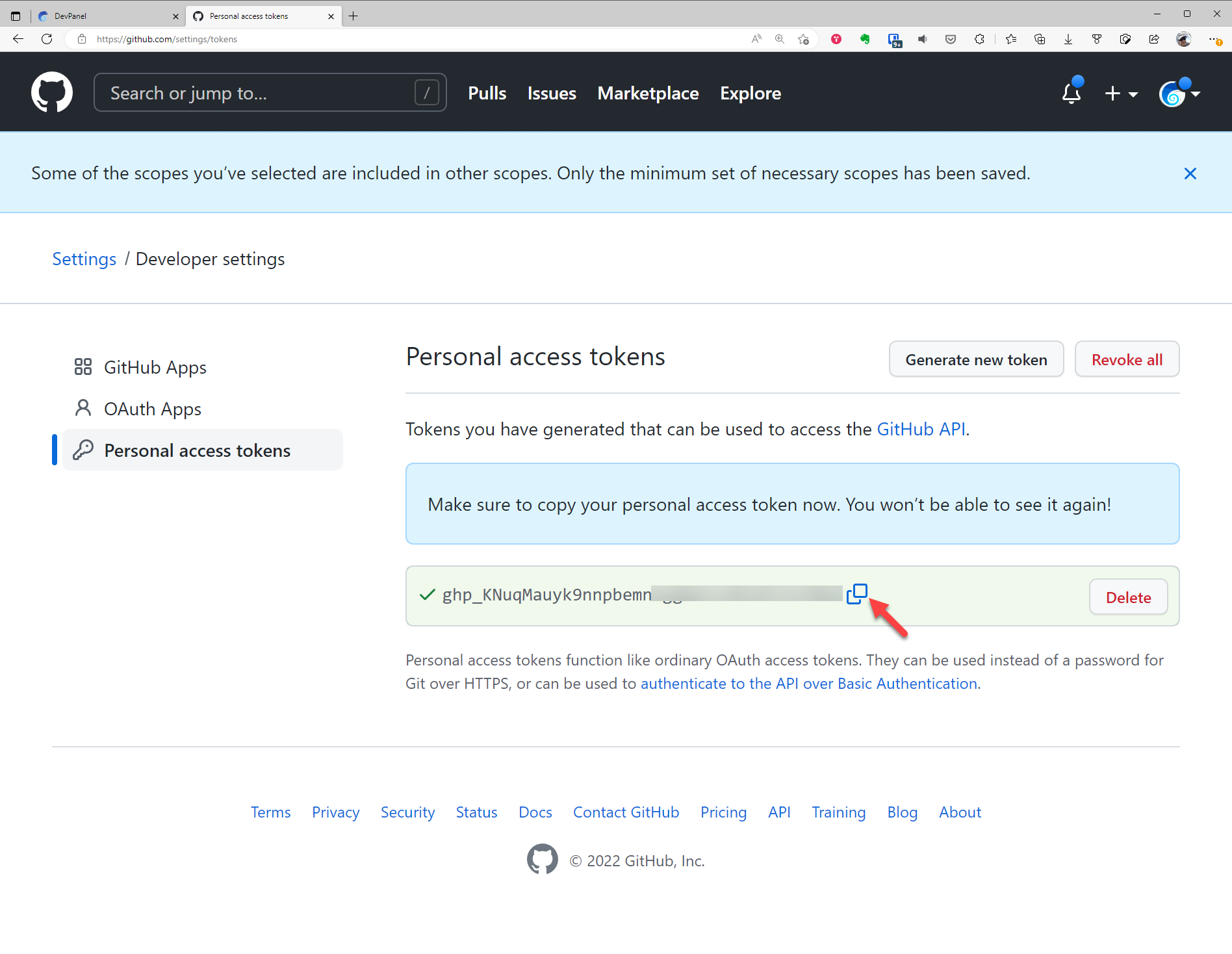
and paste it into the token field in DevPanel...
¶ Using GitHub Personal Token in DevPanel
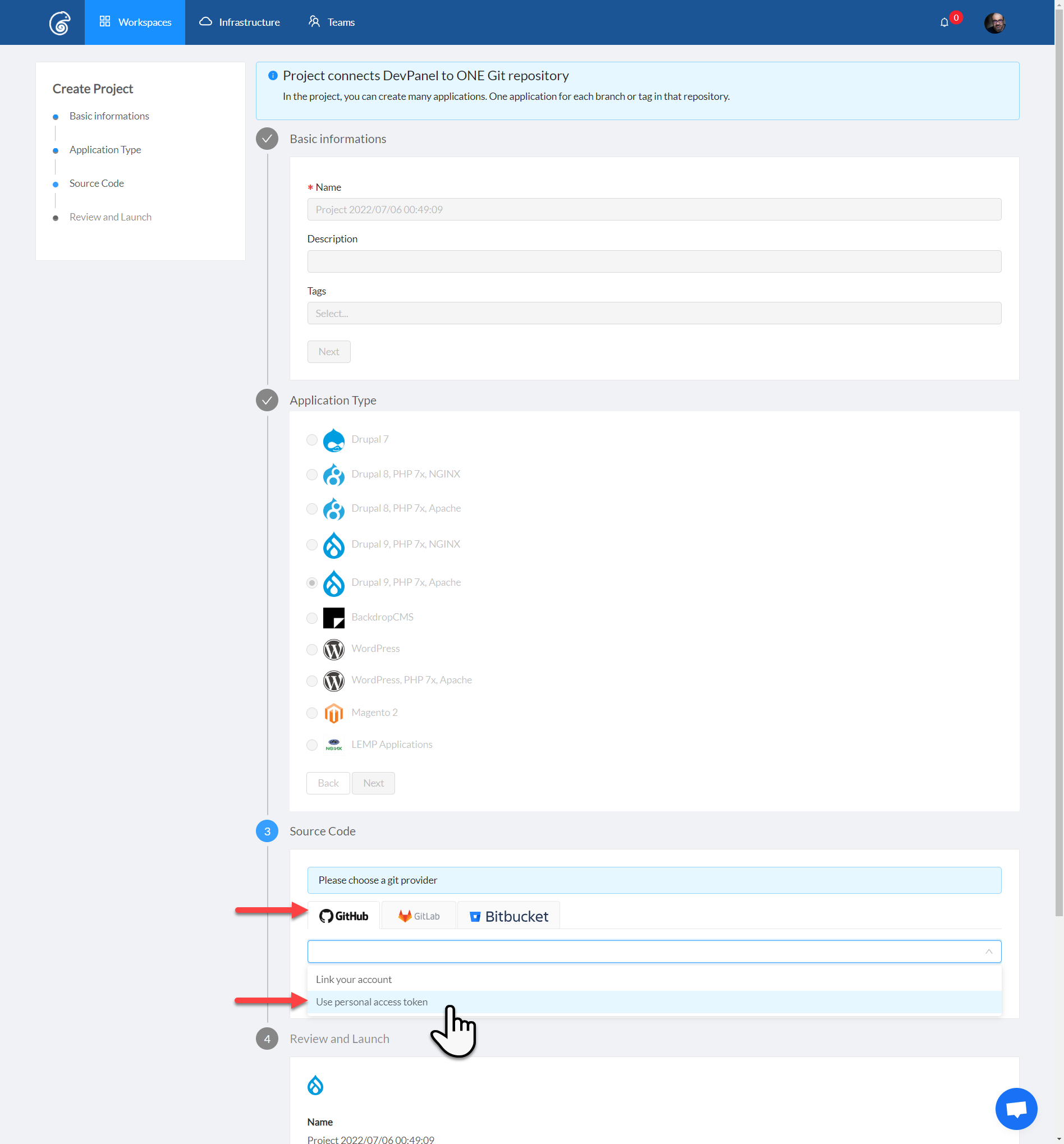
When linking Projects to GitHub, make sure to now use your Personal Tokens instead of the default temporary tokens.