¶ Git Actions
To trigger actions in DevPanel based on a git push, you must configure two things
- Git provider to call DevPanel git hook
- Actions in
config.ymlfile that you want to perform
¶ Configuring your Git Provider
To cofigure your git provider, for the instructions on the CODE page in your DevPanel application:
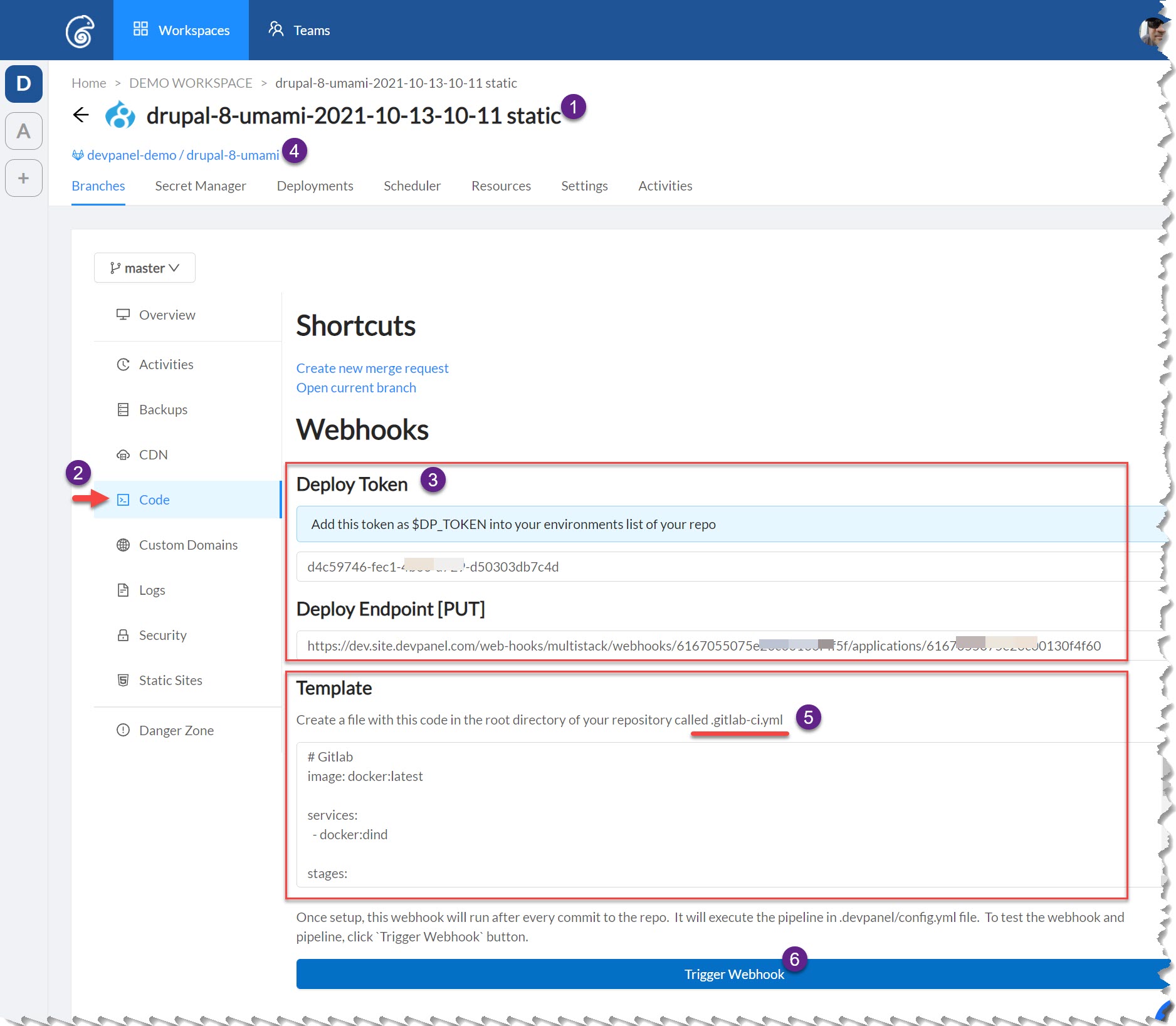
To setup a webhook, follow the following steps
- go to application
- go the Code page
- copy the $DP_TOKEN and Endpoint
- go to your git repo and setup your git provider to call the DevPanel enpoint using the token (from step above)
- create a file in your repo with the provided contents - make sure the use the provided filename
- test the webhook manually - make sure it works
¶ Configuring your config.yml file
Add the following section to the bottom of your ./devpanel/config.yml file. Make sure to commit / save the file after that.
hooks:
  # only called when $DP_TOKEN is setup in git provider
  # and git provider is set up to call the DevPanel git hook
  git_hooks:
    push:
      - branch: "master"
        # matches release on "master" branch only
        # run commands or scripts from cmd below... eg:
        # echo "Hello World"
        # date >> test.txt
        cmd: |-
          echo "Hello World"
      - tag: ".*"
        # matches any tags
        # run commands or scripts from here; eg:
        cmd: |-
          echo "Hello World"
You can run actions based on both: branch releases and tag releases.
Replace the echo commands with your own commands. You can specify individual commands here or call a script.
DevPanel runs a Git Pull automatically BEFORE running your code. You DO NOT need to run a Git Pull yourself.